
This page is a wiki. Please login or create an account to begin editing.
Architecture: 68k PPC
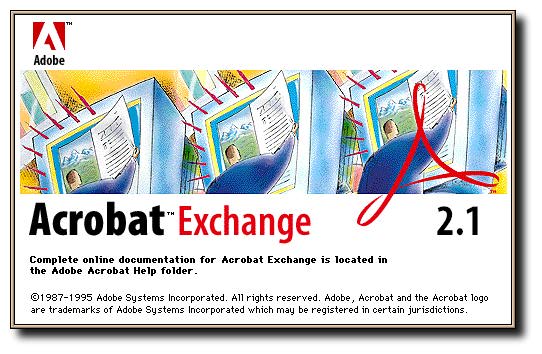
Adobe Acrobat 2.1


| Rating: | |
| Category: | |
| Year released: | |
| Author: |
Adobe |
| Publisher: |
Adobe |
Download acrobat_2.1.sit
(14.39 MB)
For System 7.0 - 7.6
For System 7.0 - 7.6
Download CD_SAMPLER.toast_.sit
(428.48 MB)
For System 7.0 - 7.6
For System 7.0 - 7.6
The universal electronic publishing tool.
Adobe Acrobat Pro is the fastest, lowest cost way to publish electronic documents via CD-ROMs, corporate metworks, even the WorldWide Web. Take any document from any Macintosh or Windows application. Then convert it into the Adobe Portaable Document Format (PDF) as easily as you'd print it. Your PDF file gives you everything you expect from a document —color, graphics, text, easy navigation, printing— but it's faster and easier to access in electronic form. Now send your PDF file to anyone, and they can view or print it on any computer and printer with free Acrobat Reader. It's that easy.
About Adobe Acrobat Pro
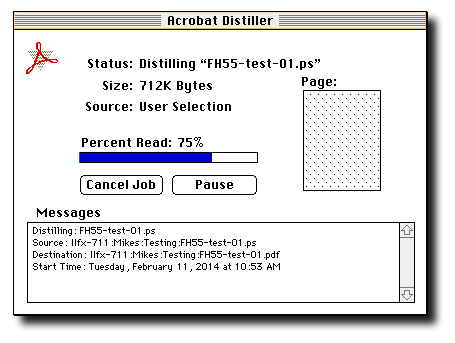
Now you can add life to your desktop-published files by preparing them quickly and easily for electronic distribution. The Adobe Acrobat Pro package includes Acrobat Exchange and Acrobat Distiller software, which gives you the unique capability o convert any PostScript language file into PDF. You can setup Acrobat Distiller to conver PostScript language files on a local Macintosh, PowrMacintosh or Windows computer or to monitor directories on a network files erver, providing Distiller conversion services to any number of network users.
When to use Acrobat Distiller
You can convert nost documents into PDF files using the PDF writer driver included wuth Acrobat Exchange. With documents from many desktop publishing, page layout, illustration, and image editing programs, use Acrobat Distiller when:
-Your document contains Encapsulated Postscript (EPS) artwork or images
-Your document contains high-resolution images that you want to reduce in resolution and size.
-Your application generates its own PostScript language files when printing or produces the best output on a PostScript printer.
-You need to convert existing PostScript language files into PDF
-You are using an application in a computing environment, such as UNIX or DOS, that allows you to generate PostScript language files.
-Your document is large or contains complex blends or gradient fills
-Your application includes Acrobat support for automatically creating bookmarks, links and article threads.
About Acrobat Catalog:
Adobe Acrobat Catalog is indexing software that builds full-text indexes for collections of documents in Portable Document Format (PDF). With these indexes, Acrobat Exchange users can search large collections of document in seconds.
First download contains the original floppy installer disks in DiskCopy 4.2 format (6 disks for Exchange, 4 disks for Distiller and 2 disks for Catalog) in friendly Stuffit pre-5.x version.
The second file is the sampler CD included in the Acrobat2 box. This component is optional, included just for historic purposes. This one is compressed in Stuffit 5.x for smaller size, unfortunately this CD won't compress very much.
The CD Sampler contains sample PDF files so you can start exploring the possibilities of Acrobat Pro, installer for Acrobat Reader for several platforms (DOS, SGI, windows, mac and UNIX), demo plugins and installers for online services (the now defunct eWorld, compuserve), and Adobe PostScript drivers (8.2.1 for mac and 3.0 for windows)
Note of consideration if you have installed QuickDraw GX:
Acrobat Exchange runs under QuickDraw GX and uses GX fonts when QuickDraw is running. When you install Acrobat Exchange 2.1 on a macintosh with QuickDraw extension, the version of substitution fonts that is installed depends on whether QuickDraw GX is enabled or not.
For this reason, keep these points in mind when running Acrobat Exchange under QuickDraw GX:
-Whenever you enable, disable, or remove QuickDraw GX, you need to reinstall Acrobat Exchange using the Easy Install option.
-If you install SSW 7.5 and QuickDraw GX after installing Acrobat Exchange 2.1, you must reinstall Acrobat exchange 2.1
-Adobe PDF Writer 2.1 is not compatible with QuickDraw GX. When the QuickDraw GX extension is enabled, the PDF Writer icon does not appear in the Chooser.
Architecture: 68k PPC
Macintosh 68020-68040:
2 MB of application RAM for Acrobat Exchange or Acrobat Reader; 6 MB of application RAM for Acrobat Distiller
Power Macintosh:
4.5 MB of application RAM for Acrobat Exchange or Acrobat Reader, 8 MB of application RAM for Acrobat Distiller
Acrobat Catalog requires 68020 Macintosh or later, or PowerMacintosh, 6MB of RAM, 16MB recommended, hard disk with at least 5MB of free space.
Apple System Software version 7.0 or later
Apple SuperDrive HD floppy disk drive
Comments
Silly me. Updated the description to reflect sampler contents.
Hi macjames. What's in the Sampler CD? I guess its a lot of PDFs in Acro 2.1 format. Adobe demos as well? Likely with the 400+ MB file size.
YW, macjames. I had a slow rainy day inside yesterday.
It seems you beat me up with the screenshots, thanks MikeTomTom!
Excellent addition, thanks macjames.
I think all that's needed now is version 1.x of the Distiller & Exchange, to complete the classic Mac Acrobat set.