
This page is a wiki. Please login or create an account to begin editing.
Architecture: 68k PPC
Deneba Canvas 5.0.1/5.0.2/5.0.3


| Rating: | |
| Category: | |
| Year released: | |
| Author: |
Deneba Systems |
| Publisher: |
Deneba Systems |
Download canvas-5-install-set.sit
(20.72 MB)
For System 7.0 - 7.6 - Mac OS 9
For System 7.0 - 7.6 - Mac OS 9
Download canvastm_5_updater-ppc.img_.sit
(12.93 MB)
For System 7.0 - 7.6 - Mac OS 9
For System 7.0 - 7.6 - Mac OS 9
Download canvas_5_floppy_disk_inst....sit
(13.96 MB)
For System 7.0 - 7.6 - Mac OS 9
For System 7.0 - 7.6 - Mac OS 9
Canvas 5.0 for Macintosh. A Jack of all (DTP) trades. Master of none. At least that was the "put down" slogan from the competition. Actually, Deneba Canvas was an excellent all rounder drawing and publication program. And for better or for worse, version 5 was the final Canvas release to run on 68k Macintosh.
MD5 checksum: 94b8b8f9f4dec1a0e427c1326f16132e *canvas-5-install-set.sit
The User's Guide (the "Manual" link above), is excellent. I also put up the Printing guide for Canvas 5, its available if I edit this page but isn't showing up in the normal view, so here's an alternative link for the Print Guide (right-click to DL).
- System Requirements:
- All Power Macintosh and 68020 and higher processors.
- 4MB RAM minimum, 8MB RAM recommended.
- Mac OS 7 or higher.
- Macintosh or VGA color monitor.
mrdav:
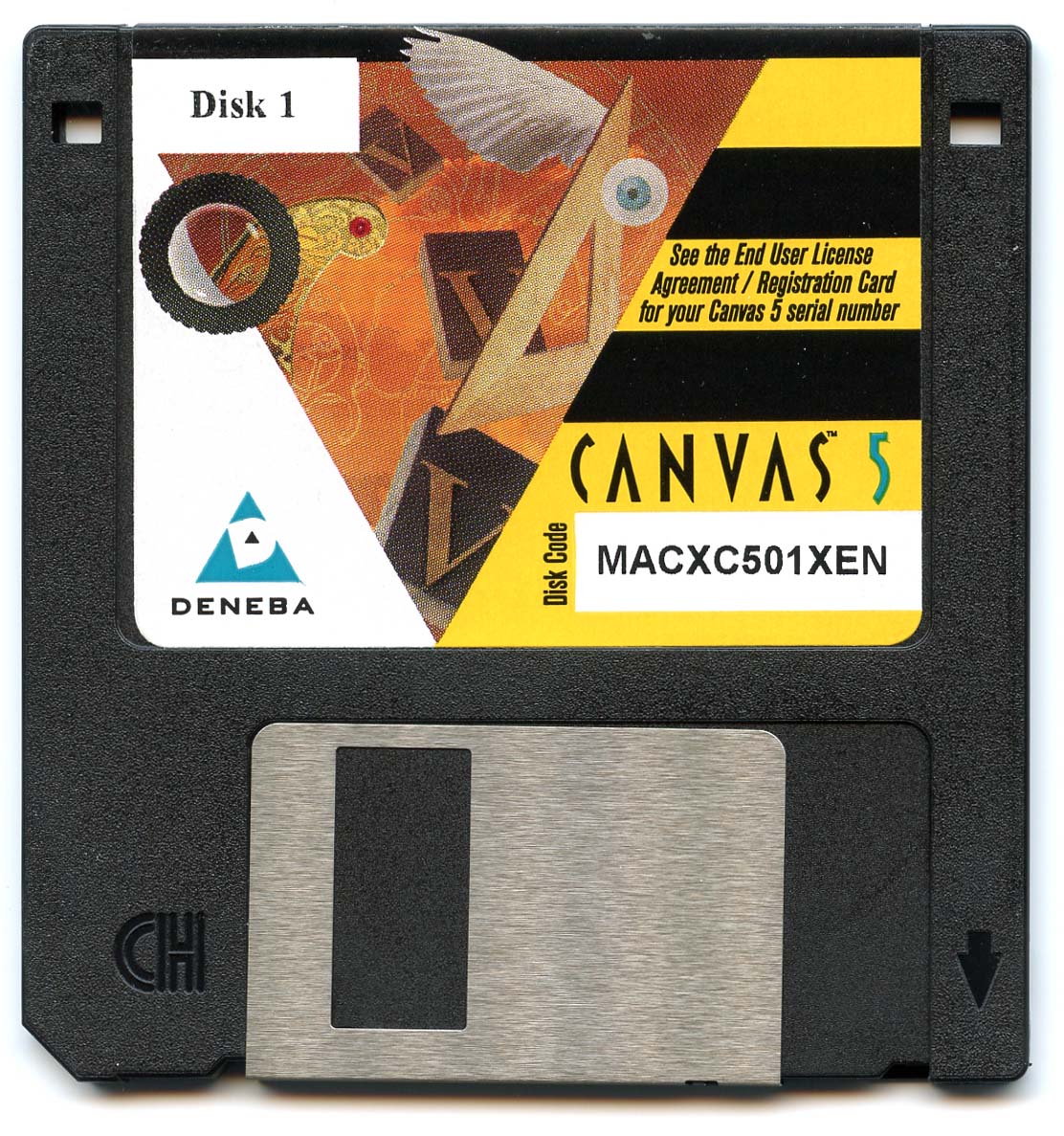
The original upload is a (fully enabled) unlocked evaluation copy of Canvas 5.0.2. I have now uploaded the complete distribution of version 5.0.1. It consists of 3 CDs (links below) and a set of 10 install floppy disks (uploaded here) for those who did not have a CD reader (Aside: I had to break the seal of the package containing the floppies to copy them here as I had never used them, having used the CDs instead). The SN is with the floppy disk download. I have also uploaded here the PPC updater to version 5.0.3. There were also 68K and Fat versions, but I do not have them. Finally I have also uploaded here copies of the "Getting Started" manual and the "Quick Reference" (links provided for convenience), as well as scans of one of the CDs and one of the floppy disks.
Download from max1zzz's server
C5_disk.sit (Install Disc)
CLIP_ART CD1.toast.sit
CLIP_ART CD2.toast.sit
Canvas5-Getting Started.pdf
Canvas5-Quick Reference.pdf
CompatibilityC5_disk.sit (Install Disc)
CLIP_ART CD1.toast.sit
CLIP_ART CD2.toast.sit
Canvas5-Getting Started.pdf
Canvas5-Quick Reference.pdf
Architecture: 68k PPC
The StuffIt archive contains a Disk Copy 6.3 image file. The installer for Canvas 5 will install either a 68k or PPC version depending on your hardware. Runs well in Basilisk II or SheepShaver. Not suitable for 68000 CPU or Mini VMac.
The additional archives by mrdav are as follows: CDs are toast images. Floppy disks are Disk Copy 4.2 images in a folder. The updater is a DiskCopy 6.3 img...all compressed with Stuffit 5.5
Comments
"if it goes again we could take turns at re-uploading it"
Yep. Or I might put it on RS as well.
I've saved a copy of these now. Say, if it goes again we could take turns at re-uploading it
I have uploaded it again. If it disappears again I will just delete the link.
@mrdav: RS has relented and let me DL at long last. No need to re-upload these now. Thanks.
The above CD scan has gone walkabout again...
@mrdav: Thanks for re-uploading the screenshots. I will likely put in a request for the CD images later. I'm OS at the moment, traveling and have very low bandwidth most of the time. Back home in approx 4 weeks. Cheers.
You are right. The images don't come up when I click on the thumbnails. I will reupload them soon.
@MikeTomTom
Curious that you cannot see the screenshots of CD and floppy. They are the 3rd and 4th images that I can see above. I can put my Canvas5 archives somewhere else as well. Where would you like me to put them so you can get at them?
The CD and floppy disk screenshots appear to be missing.
I also cannot DL the Rapidshare items - period.
@mrdav: these look good, thanks. - I still can't access RS, think its my ISP
Thank you MikeTomTom! Have a nice day!