
This page is a wiki. Please login or create an account to begin editing.
Architecture: PPC
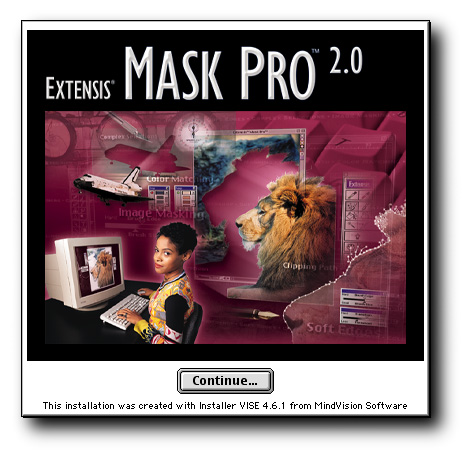
Extensis Mask Pro 2


| Rating: | |
| Category: | |
| Year released: | |
| Author: |
Extensis |
| Publisher: |
Extensis |
Download extensis-mask-pro-2.sit
(5.59 MB)
For System 7.0 - 7.6 - Mac OS 9
For System 7.0 - 7.6 - Mac OS 9
Download mask-pro-202-img.sit
(20.56 MB)
For System 7.0 - 7.6 - Mac OS 9
For System 7.0 - 7.6 - Mac OS 9
This is the Photoshop plug-in app, Extensis Mask Pro;
Extensis Mask Pro 2.0 is a robust collection of tools that dramatically reduces the time it takes to mask and select complex objects. Using exclusive Color Matching Technology, Mask Pro is the only product on the market that provides fast, professional tools for the highest quality results.
[Top DL]: Extensis Mask Pro version 2.0.1, installs plug-in and accociated files, user manuals, etc.
Archived as Disk Copy 6.3 image and compressed as StuffIt 5.5 ".sit" archive.
MD5 checksum & filename: cdcc5df101aac4c56d274a0fe6a46351 *extensis-mask-pro-2.sit
[2nd DL]: Extensis Mask Pro version 2.0.2, as above but updated, includes user guides, also contains QuickTime .mov tutorial, demonstrating how to use this software with Photoshop.
Archived as Disk Copy 6.3 image and compressed as StuffIt 5.5 ".sit" archive.
MD5 checksum & filename: cd902b893905db57bcaf1b455c529033 *mask-pro-202-img.sit
Architecture: PPC
- Macintosh OS 7.5.5 or greater
- Minimum
- PPC processor
- 32 MB of application RAM
- 8 MB of available hard-disk space
- CD-ROM drive
- Recommended
- 64 MB or more of application RAM
- 24-bit display adapter card
- Large-capacity hard disk
- Minimum
Requires: Adobe Photoshop versions 4.0 to 7.0.1 (classic).
To install Mask Pro 2 on Photoshop versions 6 or 7, choose a "Custom" install then check the "Other..." check-box, only (see pic 2 above). The custom install program first installs the user & help manuals to a folder on your drive, separately (you can choose a location anywhere on your hard drive). Next, it asks you where you want to place the Mask Pro 2 filters, for this step choose the Plug-ins folder of your Photoshop folder.