
This page is a wiki. Please login or create an account to begin editing.
Architecture: 68k
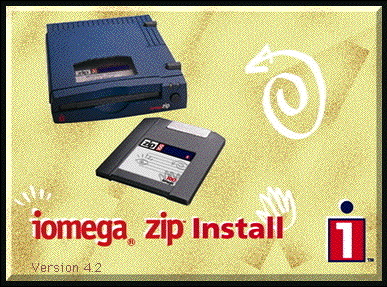
Iomega Zip Install Disk v4.2


| Rating: | |
| Category: | |
| Year released: | |
| Author: |
|
| Publisher: |
Iomega |
Download zip_install_4.2.image_.sit
(322.28 KB)
For System 6.x - Mac OS 8 - 8.1
For System 6.x - Mac OS 8 - 8.1
Download zipdriver4.2.hqx
(46.65 KB)
For System 6.x - Mac OS 8 - 8.1
For System 6.x - Mac OS 8 - 8.1
800k disk image of the original Iomega Zip Disk Install Disk drivers for Zip disk drives v4.2 in a Stuffit archive. I've heard this one's kinda hard to find, hope it helps someone.
mrdav:
The original upload is corrupted and has been that way for some time. So I have uploaded a Disk Copy 4.2 image of the floppy disk installer, reconstructed from information in the manual (including the placement of the icons in the disk). The installer on the floppy disk requires the Zip Tools disk to work. If anyone has a physical copy of the Zip Tools Version 4.2 disk (including all the extras), please make an image and upload it here so that we have a historically correct set (for Macintosh at least).
For those who want to actually install the Iomega Zip 4.2 software to use, a working install package can be found at The Mac Driver Museum (Wayback Machine Archive).
Version 4.2 can be used to run a Zip drive on a MacPlus: a simple web search will give you information on how to do this.
EDIT: Nothwistanding the above, the floppy install disk contains the Iomega Driver and Iomega Guest which are actually sufficient to use the Zip Drive.
Architecture: 68k
Mac OS 6-8.6
mrdav: The Iomega Driver and Guest work with Mac OS 6.0.8 and Mac OS 7, whereas the Zip Tools need Mac OS 7 (adapted from the installation guide)
Comments
Thanks, mrdav. Its fortunate they're available via the Wayback too. I've been striking more than a fair share of archives not archived there.
Wayback Machine to the rescue for the Driver Museum, MTT
Any point to the recent "zipdriver4.2.hqx" (46.65 KB) upload? It contains only the Iomega extension INIT, which I assume is already included with the full installer (top DL).
As well as replacing the archive with an uncorrupted version, I have added screenshots and some additional commentary.
I had version 5.0x of Iomega Tools on Windows -- was there a 5.0x release on Mac? or even 6.x?
Just an opinion, when I get back to Auckland, I can upload all the previous versions to this page too. Each with their own individual requirements
Hi, you will need to re-upload this, but it will have to be compressed with DropStuff (Stuffit) 1st before you do.
Sending up raw ".img" files will almost always fail, especially if they are Disk Copy 6.1x ".img" set to "Read Only Compressed", as this one seems to be. Disk Copy 6.1x Read Only or Read/Write formats aren't quite so bad. However it is always preferable to 1st compress whatever you send up beforehand to be safe, using Stuffit or some other archiving program that is compatible with the intended platform.
Checkout Uploading Disk Images & The image's ready. Is that all? notes.