
This page is a wiki. Please login or create an account to begin editing.
Architecture: 68k PPC
TheMouse2B 1.1

| Rating: | |
| Category: | |
| Year released: | |
| Author: |
Matthew Dolan |
| Publisher: |
Tri-Bar Software |
Download themouse2b-11.sit
(71.90 KB)
For System 7.0 - 7.6 - Mac OS 9
For System 7.0 - 7.6 - Mac OS 9
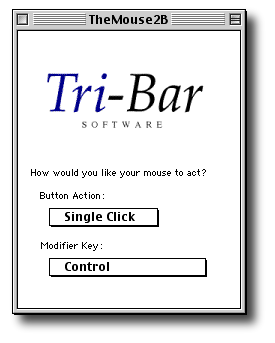
TheMouse2B is a Control Panel which makes the second button on a multi-button mouse act like a control-click (i.e. in the Finder it brings up the contextual menu). TheMouse2B allows you to configure the second button to act like a single-click, double-click or even a click-lock.
It is mouse "brand independent" and ideally suited for using with the SheepShaver emulator which does not have "Right-Click" (or USB) mouse support built-in, as yet. It is also my main reason for uploading here; For the SheepShaver users.
MD5 checksum: 065de8ecec33e3e6ad6fbc6e4ddfd93f *themouse2B-11.sit
It is also now a Freeware - so the Shareware notices in the DL archive can be ignored.
Here is a quote from kelvin31415 on the E-Maculation forum:
FYI, I have been in touch with the author of TheMouse2B, and he has kindly consented to consider it freeware -- you need not feel guilty about using it without paying the shareware fee. He was delighted to hear that something he wrote years ago is still proving useful.
For the full thread go here. kelvin31415's post is at the very end of the thread.
CompatibilityArchitecture: 68k PPC
Possibly can be used on earlier than Mac OS 8.0 OS's but is more suited for 8.0 - 9.2.2 for the "Ctrl Click" action to get a contextual menu. Ideally suited to using with the SheepShaver Emulator.
May have issues where an application, especially games software, takes away mouse control adding their own independent mouse controls for movement etc.
Comments
On a real MAC it also works the same as I described before, only USB Overdrive works fine, but that is not supported by SheepShaver..
This works in system for me, but when I launch a game (for ex. Age of Emp. II Gold) it doesnt work anymore. Tried on latest Sheepshaver. Maybe some incompatibility with carbon.lib?
@Tanner1294: Your FYI needs a bit more "I" - I'm using a Kensington Optical wireless mouse and TM2B's right-click is working as expected in SheepShaver, for me.
This control panel works great on one of my mice but it doesn't do anything for my Kensington optical mouse. Just FYI =)
sweeeeeeeeeeeeeeeeeeeeeet !!!
Thanks Mike, for this useful addition to my SheepShaver guest systems!
I liked right clicking on my Macs since I got my first Logitech USB mouse in 1998.
@xy:
I could not say. I don't use either USB-O or TM2B on an actual Mac.
TM2B, is really useful for use in SheepShaver where USB-O is of little use at all, as SheepShaver (at this point in time) has no USB support - so there won't be any conflict there.
For example; if you have a Logitech or Microsoft or whatever multi-button USB mouse attached to your SheepShaver's host PC/Mac, SheepShaver emulates an ADB port for that mouse. USB origin or not, you only get an emulated ADB mouse. You can try installing on SheepShaver the actual drivers for your USB mouse if you have "classic" versions for it and they won't be able to detect their own mouse attached to the host box.
This is where TM2B comes in and excels. It just sees a generic ADB 2 button mouse and lets you map the right click for it. SheepShaver is happy with that too, so its a "win, win" situation for us emulator users.
Are there any known conflicts with USB Overdrive?
Helpful program, thanks for sharing.