
This page is a wiki. Please login or create an account to begin editing.
Architecture: 68k
UnhideTools 1.0


| Rating: | |
| Category: | |
| Year released: | |
| Author: |
Thomas Tempelmann |
| Publisher: |
|
Download UnhideTools_1.0.sit_.bin
(599.25 KB)
For System 7.0 - 7.6 - Mac OS 9
For System 7.0 - 7.6 - Mac OS 9
This is a handy little helper that contains two utilities:
Unhide Desktop Folder allows you to make the desktop folder visible in the network again if you've installed OS 9.1 or 9.2, which has made it invisible on the network. Just drop your volumes onto this tool and their desktop folders will re-appear when seen as mounted AppleShare volumes.
Additional feature: You can also have the desktop folder renamed so that it appears like any other folder in the root dir of your hard disk. The items will then, of course, disappear from your desktop area, but you can always move them back there again.
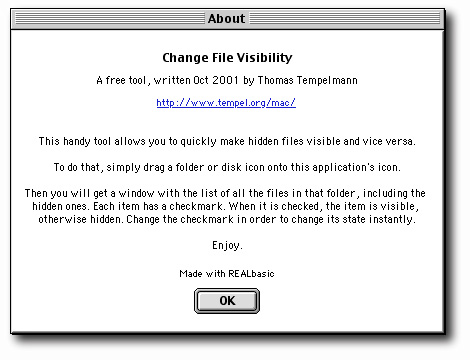
Change File Visibility allows you to make any hidden file or folder visible, or hide them again. This is very handy to get rid of all the OS X files and folders that come preinstalled on your Macs nowadays: Simply drop your hard disk icon onto this tool, and you will see all items on the root of your disk. Change the checkboxes for all hidden items such as dev, bin, etc. to make them visible, then use the finder to move them all to the trash.
Realbasic source code is also included in case you are curious how this works.
CompatibilityArchitecture: 68k
68k coded. Works fine on PPC Macintosh. Tested working OK in Basilisk II & SheepShaver, Mac OS 7.1.1 to 9.0.4
Comments
Nifty tool "Change File Visibility". It helped me clear out Mac OS X hidden files and folders from some old floppy disk images. Quick & easy to use.