
This page is a wiki. Please login or create an account to begin editing.
Architecture: 68k PPC
Disney's Ariel's Story Studio

| Rating: | |
| Category: | |
| Perspective: | |
| Year released: | |
| Author: | |
| Publisher: | Disney Interactive |
| Engine: |
Download arielstory_ger.iso_.sit
(285.97 MB)
For System 7.0 - 7.6 - Mac OS 9
For System 7.0 - 7.6 - Mac OS 9
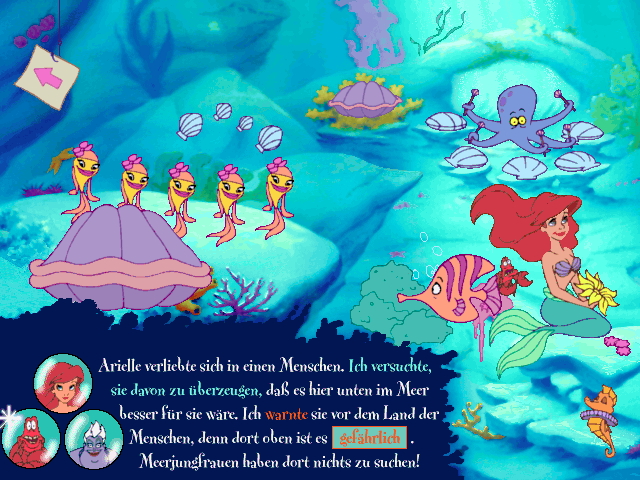
The Little Mermaid Story Studio is an interactive storybook game for children of 4 years-old and above.
The player scrolls between different screen to follow the story from The Little Mermaid. In each screen different items animate when clicked-on, and stickers for the "Create your Story" part may be discovered by animating some of them. In each screen's dialog, a word is highlighted. When the player clicks on it, it gets changed for a synonym.
Read the full description at MobyGames/Disney presents Ariel's Story Studio
"Disney's Ariel's Story Studio" PC/Mac CD image
ArielStory_Ger.iso.sit (286 MB)
German version for PC (Windows 3.1/95) and Mac OS 7.1 to 9.2.2
ArielStory_Ger.iso.sit (286 MB)
German version for PC (Windows 3.1/95) and Mac OS 7.1 to 9.2.2
Amazon.com Buy Links:
DISNEY Princess Fashion Boutique / Ariel's Story Studio Bundle ( Windows )
Spanish Ariels Story - PC
Amazon.de Buy Link:
Arielle die Meerjungfrau - Interaktive Abenteuer
Architecture: 68k PPC
System requirements Mac:
- Motorola 68040, Mac OS 7.1
- Largest unused block of 8.5 MB
System requirements PC:
- 80486 with 66 MHz
- Windows 3.1/95/98
- Mouse, AT-101 keyboard
- 16-bit sound card
Common requirements:
- 16 MB of RAM
- 30 MB hard disk space
- 640 x 480 pixels, 256 colors
- 2x or faster CD-ROM drive
Comments
We're still looking for the original english version.
The spanish title of this game, given on the Amazon Buy Link ("Disney's Sirenita - Aventure Interactiva") ,
compared to the german title of this game ("Arielle die Meerjungfrau - Interaktive Abenteuer") ,
made me think both these entries refer to the same game title at all.
The title parts "Aventure Interactiva" and "Interaktive Abenteuer" sounds very similar
Hi, Euryale!
Start hints:
Game runs directly off of the CD-ROM, but it asks for some installations first.
After installing, it plays some sound and asks „Hören Sie Musik, und ist der Sound klar?“ („Do you hear the music, and is its sound clear?“
When using the German version, on the start screen it asks for your name.
Second step is to click the „Los!“ button (Monopoly, anyone?)