
This page is a wiki. Please login or create an account to begin editing.
Architecture: PPC
Logitech MouseWare for OS 8 & 9


| Rating: | |
| Category: | |
| Year released: | |
| Author: |
Logitech |
| Publisher: |
Logitech |
Download MouseWare_OS8_OS9.sit
(18.53 MB)
For Mac OS 8 - 8.1 - Mac OS 9
For Mac OS 8 - 8.1 - Mac OS 9
Download lt-mouseware-405.zip
(208.43 MB)
For Mac OS 8 - 8.1 - Mac OS 9
For Mac OS 8 - 8.1 - Mac OS 9
Download MouseWare351.iso_.sit
(38.49 MB)
For Mac OS 8 - 8.1 - Mac OS 9
For Mac OS 8 - 8.1 - Mac OS 9
Emulation
Guides on emulating older applications
Guides on emulating older applications
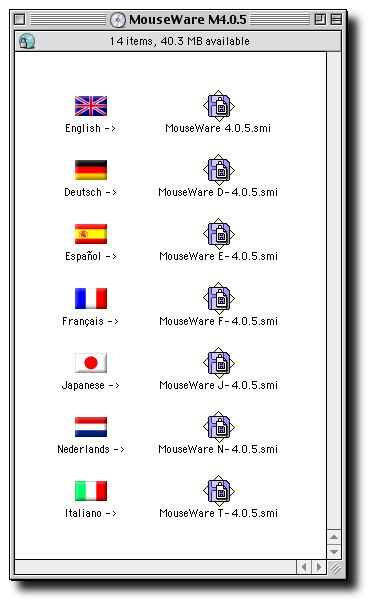
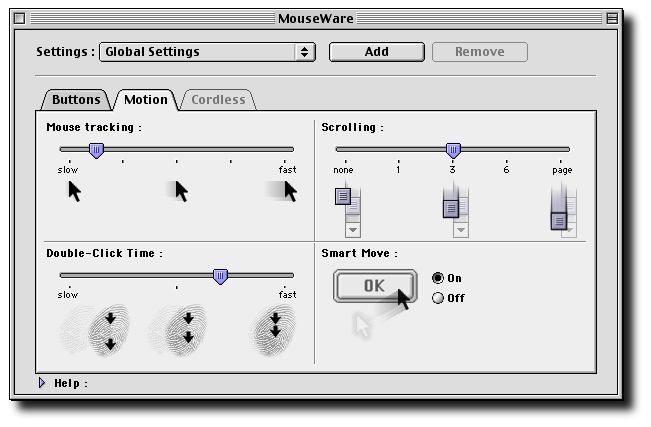
These are different Logitech MouseWare versions for Mac OS 8 & 9. In case you own a USB Logitech mouse, you will be able to set it up properly. This .sit package contains versions for all major languages like english, german, spanish, french, japanese, dutch etc.
A note about the files available:
- First file above:
Contains version 4.0.6 for Mac OS only. - Second file above:
Hybrid Mac/Windows CD .iso, zipped. Contains both Windows 95/98...XP & Mac drivers,
in multiple language install sets.
Versions: MouseWare 9.7 (Windows 95 to XP) & MouseWare M 4.0.5 (Macintosh, 8.6 to 9.2.2). - Third file above:
Hybrid Mac/Windows CD .iso, stuffed. Contains both Windows 3.1/95/98...ME & Mac drivers,
in multiple language install sets.
Versions: MouseWare 9.24 (Windows 3.1 to 2k) & MouseWare M 3.5.1 (Macintosh, 8.6 to 9.2.2).
Architecture: PPC
PPC Mac OS: 8.6 to 9.2.2
MS Windows: 95, 98, Me, NT 4, W2k, XP (2nd file above)
MS Windows: 3.1, 95, 98, Me, NT 4, W2k (3rd file above)
For example: Purchasing a basic Logitech M90, USB 3 button wheel-mouse recently, info on box reads; "For Mac OS 10.5 or newer" (no drivers supplied). Plugging the M90 into my G4 running Mac OS 9.2.2 with these drivers installed, all buttons on the mouse work as expected. Sweet!
[Note]: Does not work in Sheepshaver.
For Sheepshaver see: TheMouse2B
Comments
I don't mean to bring up an old post, but I have to put in my two cents.
With my Logitech USB+PS/2 optical mouse, the zipped package helped me enable scrolling on not only my iBook G3 Clamshell, but on my IBM ThinkPad 385ED as well. I was racking my brain for months trying to scroll with my ThinkPad. I cannot thank you guys enough for providing these.
Thanks! That control panel was perfect. Still can't figure out why the Mouseware installer didn't recognize the system, but if what you said is true then it wouldn't have mattered anyway. Should upload this other control panel to Mac Garden!
@ndtronerud: Hmmm... SheepShaver emulates an ADB mouse that is not brand specific.
I'm not sure if the Logitech drivers would work here, they would want to "see" a Logitech mouse attached. If Apple System Profile reports a Logitech mouse attached, then you might be OK[Edit]: no, the emulator only presents a generic "no-name brand" ADB mouse as attached.Try "TheMouse2B" Control Panel which works for the Right-Click on a Multi button mouse in the SheepShaver (any attached multi-button mouse).
Attempting to install with Sheepshaver using OS 9.0.4, the installer states that I need to have OS 8.6 or newer...
I think I must have every version of this, and of the Microsoft Intellimouse drivers too, just with the number of mice I've bought so long ago that still work.
This one saved me for sure. I'd just purchased a basic Logitech wheelmouse M90 rodent for my newly acquired G3 iMac. The blurb on the package said "works with OS 10.4 or newer". I took a punt and yes, OS 9 is not a problem. Even better, these drivers work perfectly with this mouse too, enabling the right mouse button and scroll-wheel.
I hope this solves my iBook issue with Apeiron!