
This page is a wiki. Please login or create an account to begin editing.
Architecture: PPC
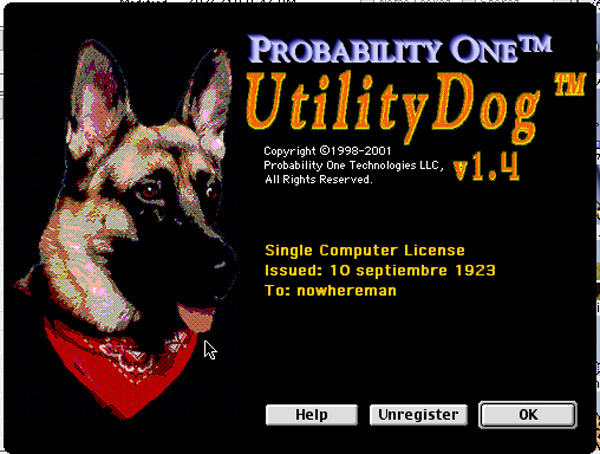
UtilityDog v1.4


| Rating: | |
| Category: | |
| Year released: | |
| Author: |
Probability One Technologies LLC |
| Publisher: |
Probability One Technologies LLC |
Download utilitydog-1.4-install.bin
(1.33 MB)
For Mac OS 8 - 8.1 - Mac OS X
For Mac OS 8 - 8.1 - Mac OS X
•Powerful search engine finds files and folders using arbitrarily complex criteria that you specify. Find invisible items, pictures, files containing particular data or resources, and much more. Easily save your criteria for quick reuse later.
•Browse disk contents easily - just like you do in an "Open" or "Save" dialog box. The "iterate" feature even allows browsing without clicking the mouse or using the keyboard.
•View pictures, text, and other items without launching auxiliary applications. Just select an item in a list and its contents are immediately displayed.
•Find duplicate items (using many criteria including byte-to-byte comparison) to eliminate redundant files.
•Customizable lists can display and sort by almost any file attributes.
•Edit the attributes of any file or folder in a more comprehensive "Get Info" box.
•Powerful backup capabilities enable you to back up (or restore) exactly the items you want while preserving folder hierarchies and other important information.
•Efficiently compare, synchronize, or merge the contents of two folders.
•Batch process lists of files or folders in one easy step. Available operations include:
- renaming (in arbitrarily complex patterns)
- copying (with many choices for resolving name-conflicts)
- moving (including moving to the trash)
- making aliases
- changing type and creator codes
- modifying dates and finder flags
- changing Finder comments
Additional Features:
•Includes a detailed and user-friendly User's Guide
•Supports Balloon Help
•Appearance Manager savvy
•Optionally uses Navigation Services when available
•Supports HFS and HFS+ formatted volumes
Still useful under PPC MacOS X Classic environment, but cant manipulate files permissions.
Serial
user: nowhereman
Sn: 23749678992MK2L4
Architecture: PPC
System Requirements:
•Any Macintosh PowerPC
•About 3MB free disk space
•At least 3MB available RAM (more recommended).
•MacOS 8.1 or later.
•Uses Quicktime if available (3.0 or later recommended).
•There s no movie previews with quicktime 5 or later.
Comments
UtilityDog 1.3.1
http://www.mirrorservice.org/sites/ftp.info-mac.org/info-mac/disk/utilit...
UtilityDog 1.4
http://www.tucows.com/download.html?software_id=207088&file_id=84983&mir...
Oh, you mean this one:
Yes we know about the "no such key error".
This is every time at every upload and will be go away after a few hours/days.
Safari or Chrome?
No, the error i get here was weird... Im using the latest version of firefox, when i check the post to edit it, the file was there, i click and download it... humm what a ....
Anyway, it have been fixed by now.
Let me know what you think about this marvelous file utility.
Probably because of Safari or Chrome?
Well... for some reason, i cant upload it to macintoshgarden...well, there is, the ¨External Link¨...
@MadMac .... Where is it....are you sure you uploaded it properly - or is it just me.
I realise there's a delay of about a day or so before server links are updated or whatever
- but not 3 days.
Wonder if any one else having problems with this file.
- Keen on this app. as it looks really very usuful.
- I've looked on web ... can't find 1.4.1 anywhere ... did find v1.3.1 on an old ftp site
I d/l that ver. and was impressed by it ... but would like 1.4.1 if possible.
An excellent file utility.